
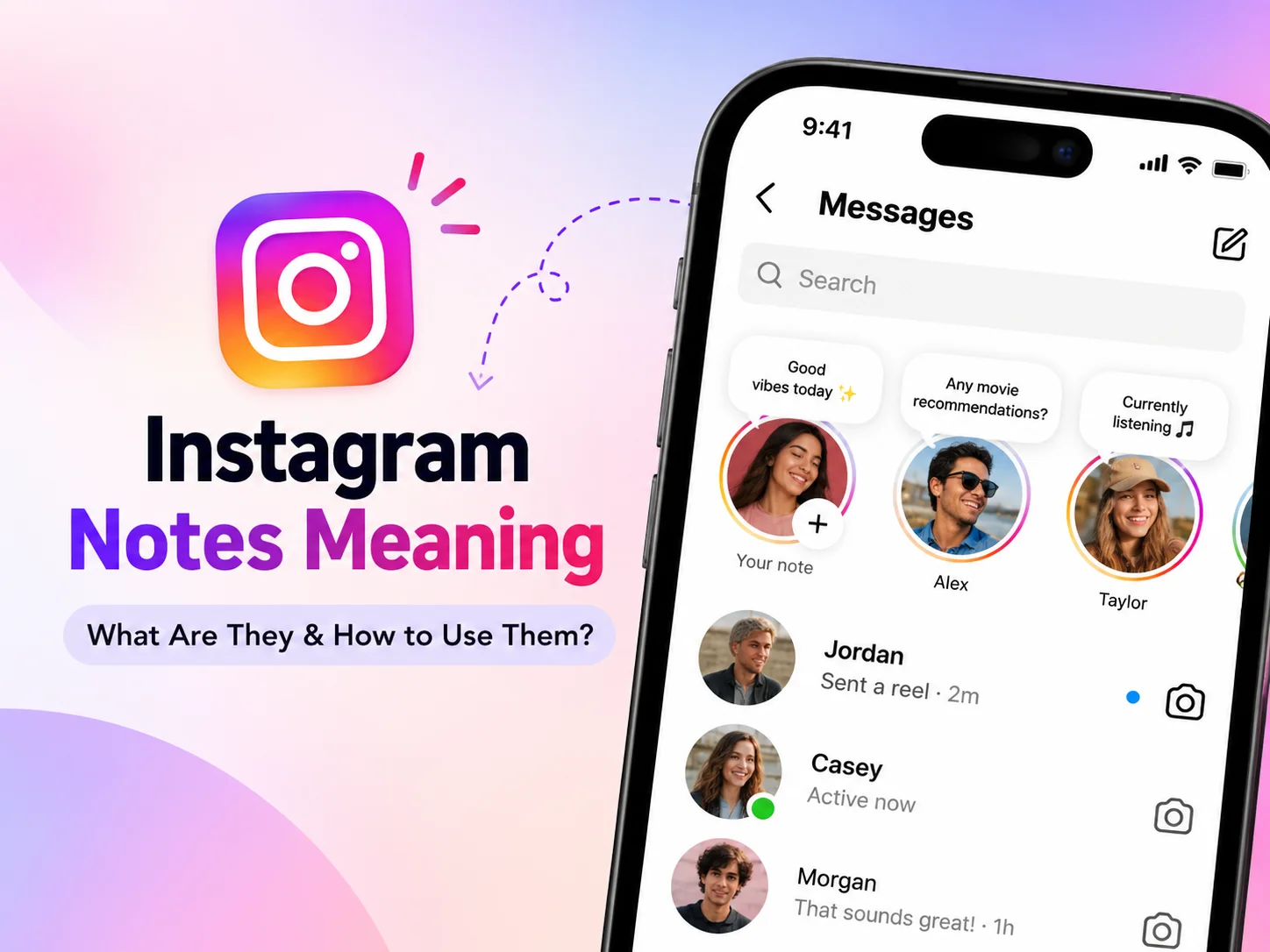
Have you spotted tiny messages above profile pictures in your Instagram inbox and wondered what they mean? Instagram Notes are quick status updates that help friends share thoughts without posting a Story. They disappear after 24 hours and can spark private conversations. Instagram Notes Meaning also includes knowing who sees updates and how replies work. Learn posting, music, privacy, and fixes.
What Does Instagram Notes Mean?
Simple Definition of Instagram Notes
Instagram Notes are temporary messages displayed above conversations in the Direct Messages inbox. They are a feature, not slang. Share thoughts, questions, emojis, or songs.
Instagram Notes Meaning at a Glance
| Feature | Quick answer |
| Text limit | 60 characters |
| Duration | 24 hours |
| Location | DM inbox |
| Audience | Mutual followers or Close Friends |
| Interactions | Likes and private replies |
What Is Their Purpose?
Notes help you announce news, ask questions, or invite messages.
How Do Instagram Notes Work?
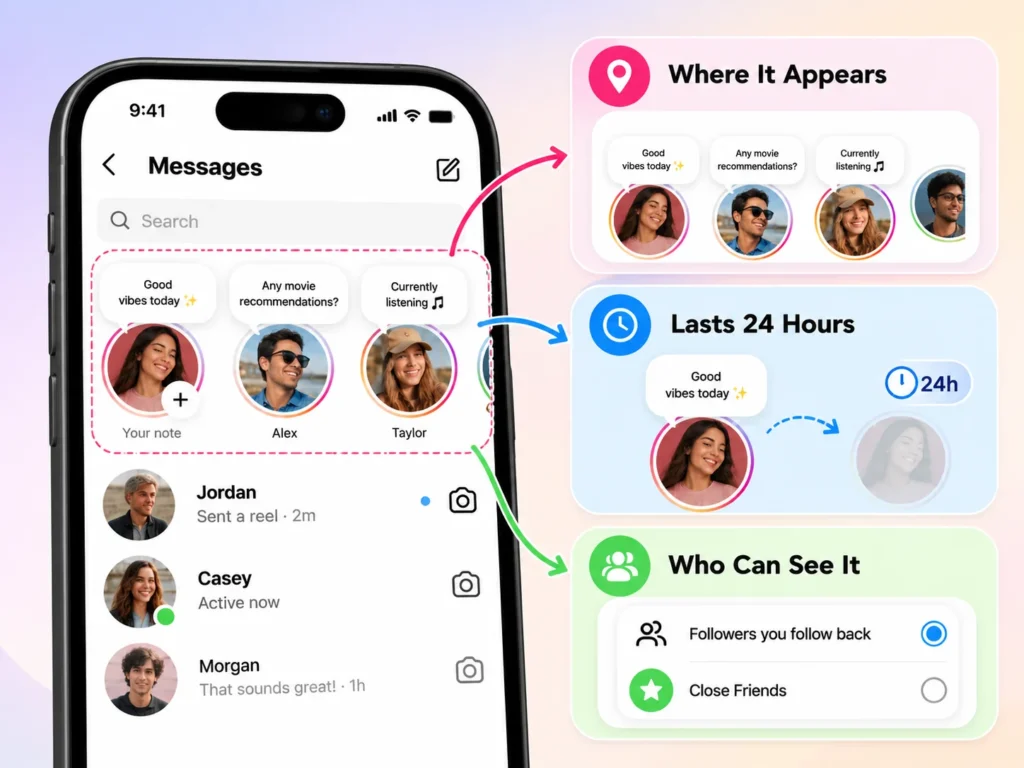
Where Do Notes Appear?
Open Instagram’s messages screen. Notes appear above chats beside profile pictures.
How Long Do They Last?
A Note remains visible for up to 24 hours. It then disappears; posting again replaces it.
Who Can See Them?
Choose followers you follow back or your Close Friends list when posting. Notes aren’t public feed posts. Check your audience before posting. Always review the selected audience before sharing personal details with followers.
How to Use Instagram Notes
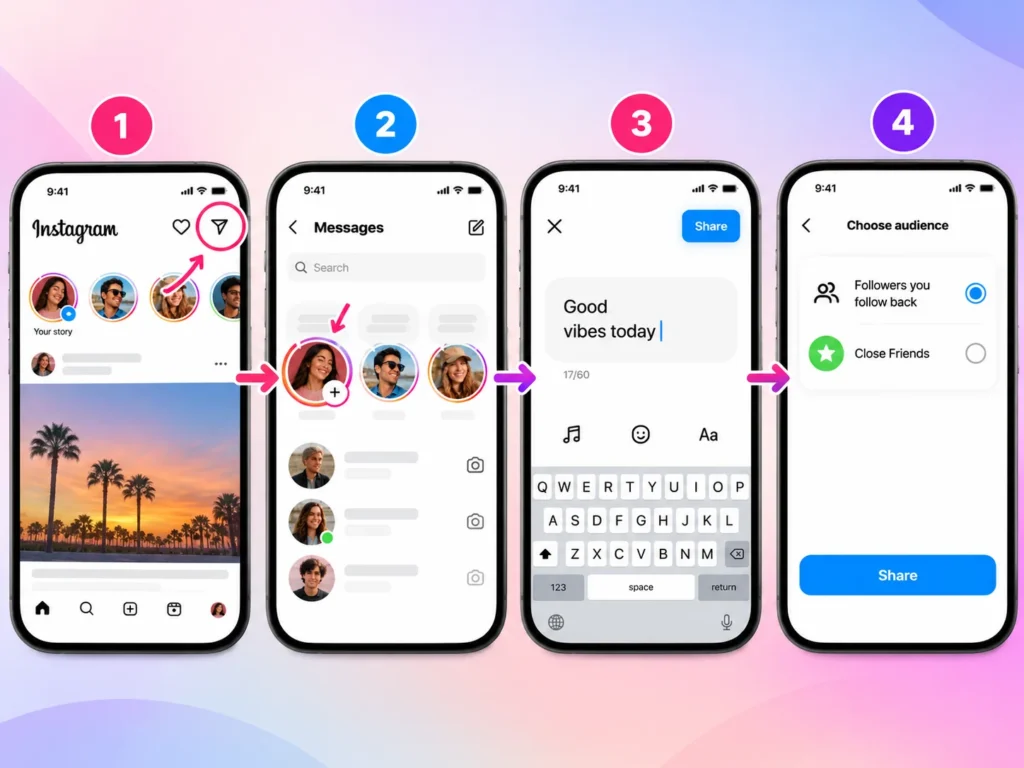
Create a Note Step by Step
- Open Instagram and tap the messages icon.
- Tap your profile picture in the Notes row.
- Enter a message of up to 60 characters.
- Choose mutual followers or Close Friends.
- Tap Share to publish your Note.
Try “Any movie recommendations tonight?” Check your audience first.
Add Music to Instagram Notes
Open the Note composer and tap the music symbol. Choose a track from Instagram’s available library, add text if desired, and share. Where supported, Spotify integration also lets you display music you’re listening to. Availability varies.
Delete or Replace a Note
Tap your active Note, then select Delete Note to remove it. A new Note replaces the previous one.
How to Reply to and Like Instagram Notes
Reply to a Note
Tap someone’s Note, type your response, and send it. Your reply starts or continues a private Direct Message conversation with that person.
Instagram users often use short expressions when responding to Notes or sharing content. For example, understanding IB Meaning on Instagram can help you recognize what someone means when they mention inspiration or credit another creator.
Like a Note
Tap a friend’s Note and select the heart icon. This acknowledges their update.
Who Sees Your Reply?
Only the recipient sees your private reply. Others cannot see a public reply thread.
Instagram Notes Privacy and Visibility Explained
Can You See Who Viewed Your Note?
No. Unlike Instagram Stories, Notes don’t provide a viewers list. You see likes and replies, not silent viewers.
What If You Don’t Follow Someone Back?
That person generally won’t see a Note shared with mutual followers. Close Friends uses your selected list.
Instagram also offers other ways to share updates with selected people. If you want to understand private Story sharing, explore CFS Meaning on Instagram to learn how Close Friends Stories work and who can see them.
How to Mute or Unmute Notes
Visit someone’s profile, tap Following, open Mute, and change the Notes setting. Reverse the setting to unmute. Labels may vary. Muting does not unfollow someone.
Are Notes Completely Private?
No. A permitted viewer could screenshot or repeat your message. Avoid posting passwords, addresses, or anything you would regret sharing.
Instagram Notes Meaning in Different Situations
What Does a Song Note Mean?
Usually, they share music or a mood, not a hidden message.
What If Someone Mentions You?
Where mentions are supported, a mention can invite your attention or acknowledge you. Check context before assuming more.
Are Notes Used for Flirting?
Sometimes. A playful question might start a flirtatious chat, but it could simply be friendly. Context matters most. If you are unsure whether an update is directed at you, ask instead of guessing.
Instagram Notes Examples and Ideas
Funny Notes
“Running on coffee and hope.” “My bed misses me.” “Brain loading… please wait.”
Cute and Friendly Notes
“Hope your day goes well!” “Sending good vibes.” “Proud of my people.”
Questions That Invite Replies
“Tea or coffee?” “What should I watch?” “Weekend plans?”
Mood and Music Notes
“Rainy-day playlist.” “Currently obsessed with this song.” “Quiet evening vibes.”
Keep examples natural. Questions can encourage replies.
Instagram Notes vs. Stories vs. Direct Messages
Key Differences
| Feature | Notes | Stories | DMs |
| Format | Short text or music | Photos or videos | Private messages |
| Duration | 24 hours | Usually 24 hours | Until removed |
| Audience | Selected followers | Story audience | Chosen recipients |
| Response | Private reply | Reply or reaction | Conversation |
When Should You Choose Notes?
Use Notes for quick questions or thoughts. Choose Stories for visual moments and DMs when you want to speak directly to someone.
Other social media platforms also use visual indicators to highlight updates. For example, understanding Snapchat Purple Circle Meaning can help you recognize how Snapchat indicates new Stories compared with Instagram’s Notes feature.
Why Can’t I See Instagram Notes?
Notes Missing From Your Inbox
Update Instagram, restart the app, and check your connection. Availability varies; report persistent problems. Also confirm that you opened the messages screen rather than the main profile page.
Missing One Person’s Notes
Their audience, deletion, or your mute setting could explain it.
Music Not Working
Try another track and update your apps. Music licensing, location, and account availability may affect which songs appear.
Notes on Posts and Reels
Instagram removed the separate feature for attaching Notes to feed posts and Reels in 2025. Older tutorials may mislead.
Using Instagram Notes for Engagement
Ideas for Creators
Ask followers a question, announce a new video, or share a brief behind-the-scenes update. Avoid repetitive ads.
Do Notes Boost Reach?
Replies can encourage conversations, but Instagram hasn’t confirmed that posting Notes directly improves feed or Reels rankings. Don’t expect guaranteed reach.
Frequently Asked Questions About Instagram Notes
What Does Notes Mean on Instagram?
It means a short, temporary update shared through your messages inbox with a chosen audience.
Is a Note the Same as a Story?
No. Notes emphasize brief messages; Stories commonly feature visual content.
Can Everyone See My Notes?
No. Visibility depends on the audience you select.
Can You See Note Viewers?
No viewer list is available, although you can see likes and replies.
Does Posting a Note Notify Everyone?
Notes normally appear in the inbox rather than sending everyone a push notification.
Can You Share Multiple Notes?
You generally have one active inbox Note; a new one replaces it.
Can Someone Reply After It Disappears?
They cannot start a new reply from a Note that’s no longer visible, but existing DM conversations remain.
Are Notes Available on iPhone and Android?
Yes, though features vary.
Conclusion
Instagram Notes Meaning comes down to simple, temporary sharing. A Note lets you post a short thought, share music, or start a private conversation with selected people. Remember the 60-character limit, 24-hour lifespan, and audience controls. Try a friendly question first, and keep sensitive information out of your updates.
1 thought on “Instagram Notes Meaning: What Are They & How to Use Them?”
Comments are closed.